Features
- Scan your inbox for bulk senders
- AI-powered sender classification and scoring
- One-tap blocking with Gmail filters or Outlook rules
- Bulk delete existing emails from blocked senders
- Undo any action from History
- Connect multiple Gmail and Outlook accounts
- Monthly and yearly Pro subscriptions
- Full iPad support
Scan Your Inbox
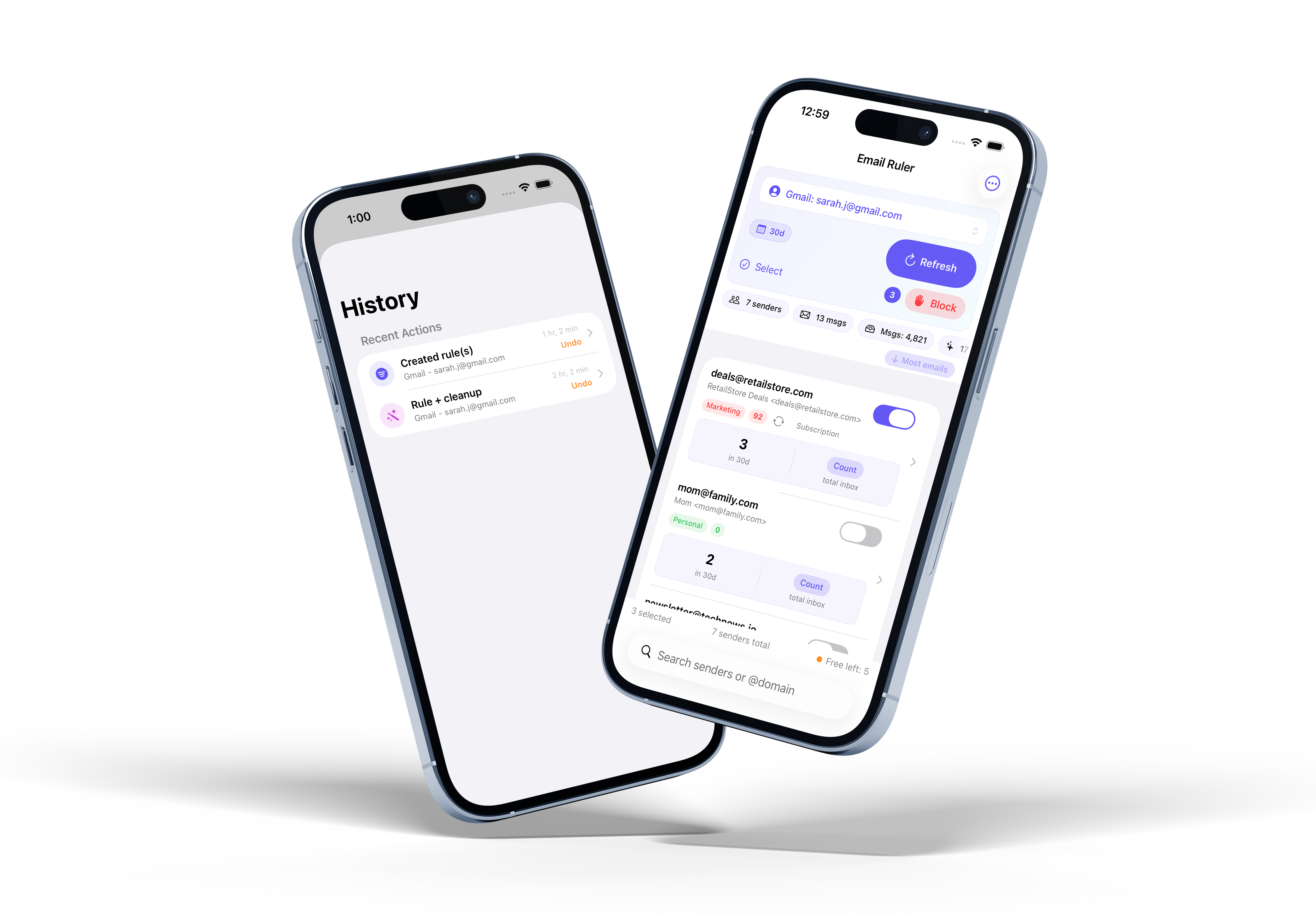
See exactly who’s filling up your inbox. Email Ruler scans your recent messages — from the last 30 to 180 days — and groups them by sender. Each sender shows a message count so you can instantly spot the biggest offenders. Filter by top 5, top 10, or view all senders at a glance.
AI-Powered Analysis
Not sure what to block? Tap “Analyze with AI” and Email Ruler classifies each sender into categories like Marketing, Social, Newsletter, or Spam-like. Every sender gets a blockability score from 0 to 100, so you can make informed decisions about what stays and what goes.
Block and Clean Up
Select the senders you want to block and tap one button. Email Ruler creates Gmail filters or Outlook rules that automatically send future messages to Trash or Junk. Want to clean house? Choose “Block + delete existing” to remove all current emails from those senders too — with a confirmation showing exactly how many emails will be affected.
Undo Anything
Every action is recorded in your History. Blocked a sender by mistake? Deleted emails you wanted to keep? Open History and undo any action with a single tap. Email Ruler removes the rule and restores your messages.
Multiple Accounts
Connect as many Gmail and Outlook accounts as you need. Switch between them to scan and manage each inbox independently. Email Ruler keeps your accounts organized and your rules separate.
Email Ruler Pro
Get started with 5 free actions. When you’re ready for more, upgrade to Email Ruler Pro for unlimited blocking, AI analysis, bulk cleanup, and undo — with no limits and no hassle.
- Monthly: $3.99/month
- Yearly: $39.99/year
Get Email Ruler
Available on the App Store.