QRPics

Create colorful QR Codes with your own photos or videos for your marketing needs!

Business Cards • Marketing Material • Real Estate Listings • Restaurant Menus

QRPics

  • Creates static or animated QR Codes
  • Set scan options
  • Gather scan statistics
  • Set a password
  • Set scan limits on the number of scans
  • Set expiration date/time with optional redirect URL when expired
  • Set cloaking to hide original URL from user
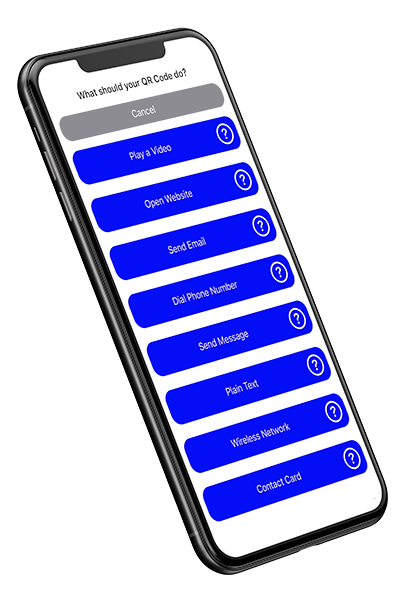
QRPics QR code design options

QR Code Types

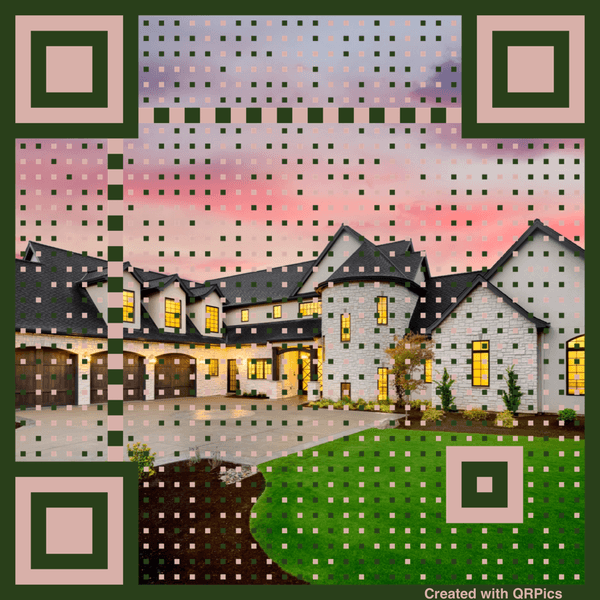
Static QR Code with house marketing image

Static QR Code

Static QR Codes are for printing. Export from QRPics in multiple sizes, great for small print to larger banners.
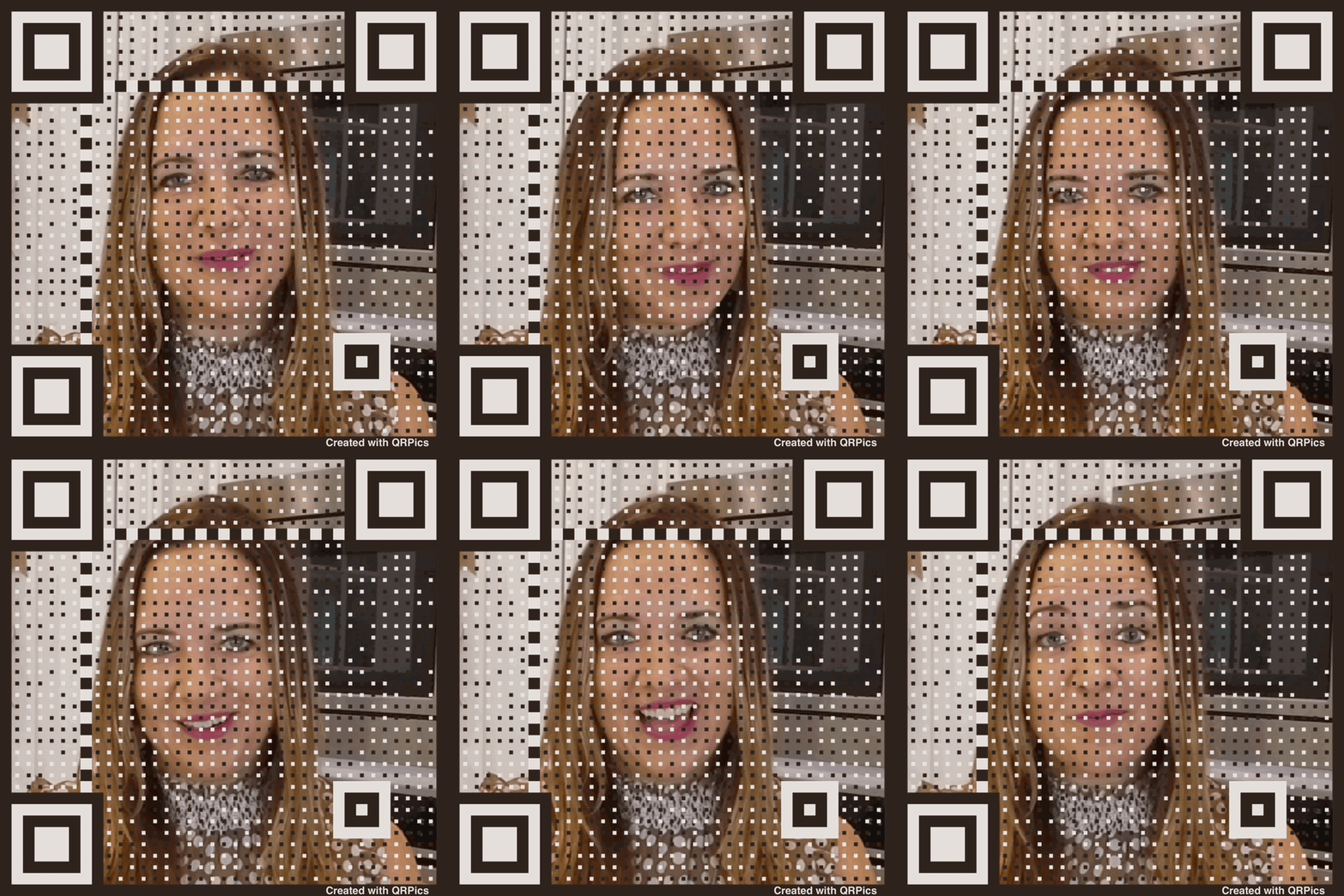
Animated QR Code example

Animated QR Code

Animated QR Codes are great for anywhere the user may see on a monitor or presentation.

Options

Choose what happens when someone scans your QR code

Play a Video

Play a video immediately after user scans your QR Code

Open a Website

Opens your website after user scans your QR Code

Text Message

Create a text message pre-populated with recipient and text after user scans

Custom Text

Use this for custom opportunities that are not currently available

Send Email

Create an email with pre-populated recipient, subject and body

Phone Call

Dial a phone number after user scans your QR Code

WiFi Network

Allows users to join a WiFi network after user scans

Contact Card

Enter your contact info into the device of users that scan your QR Code

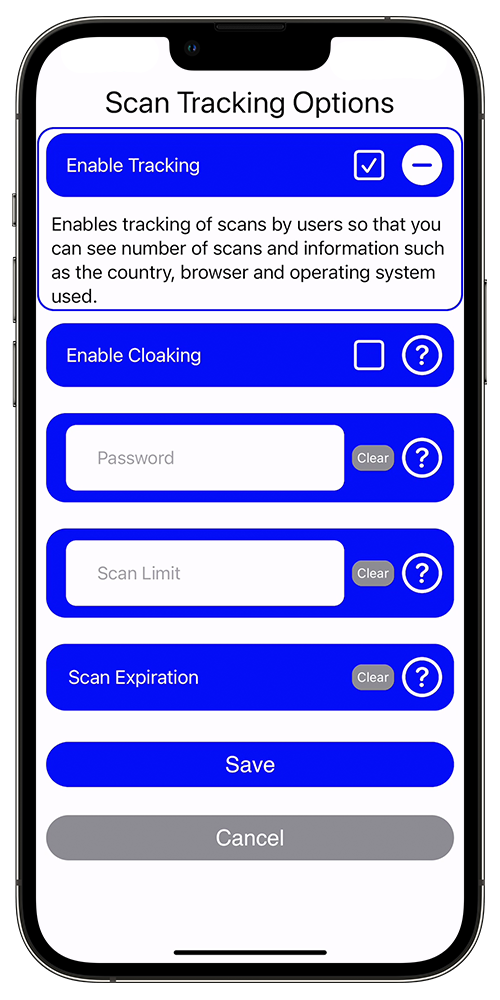
Tracking

Enable tracking to gather information on scans of your QR Codes.

  • Enable/Disable tracking
  • Password protection
  • Expiration date/time
  • URL cloaking
  • Scan limits
QRPics tracking options on iPhone
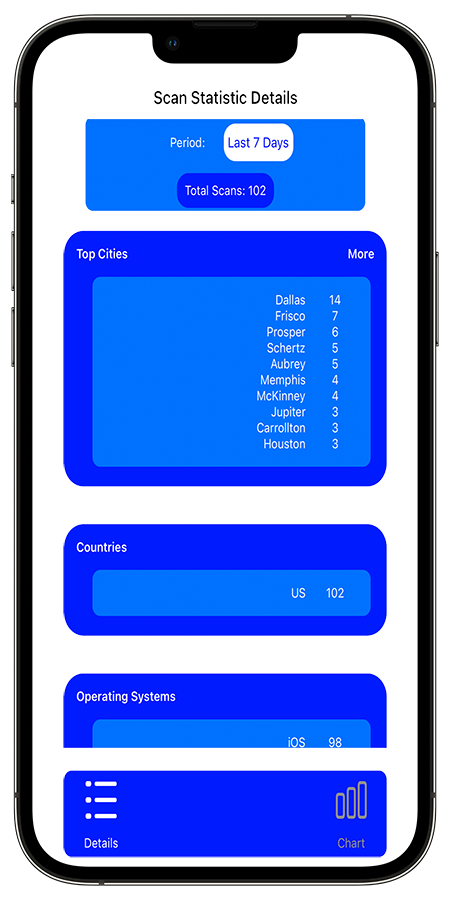
QRPics scan statistics view

Statistics

Get analytical data from the scans of your QR Codes!

View by: All Scans, Today, Yesterday, Last Month, This Month, This Week, Last 7 Days, Last 30 Days

See data broken down by Cities, Countries, Operating Systems, and Browsers.

See Your Scans as a Bar Chart

View data by Days, Weeks, or Months.
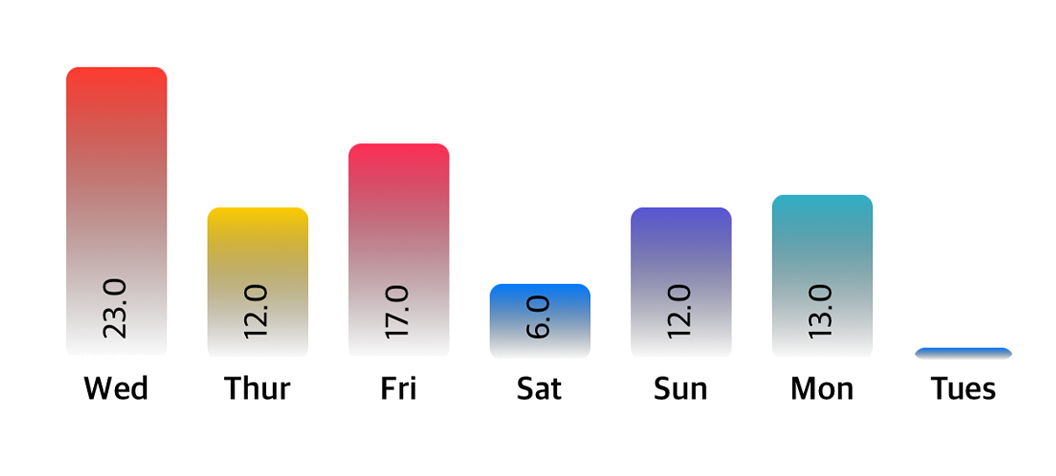
QRPics bar graph analytics

Option Demos

App Screenshots

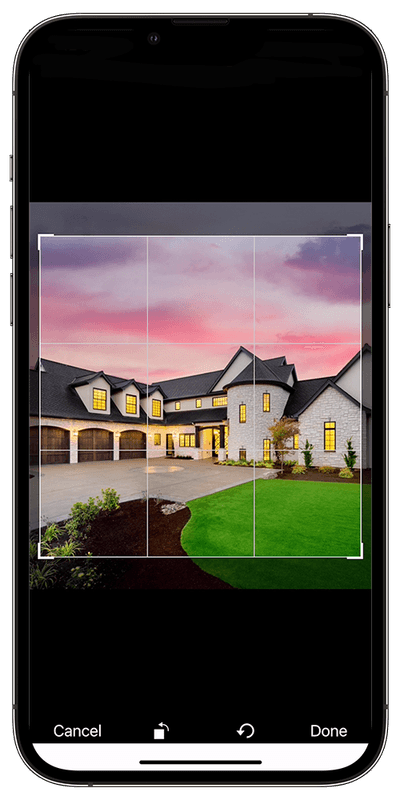
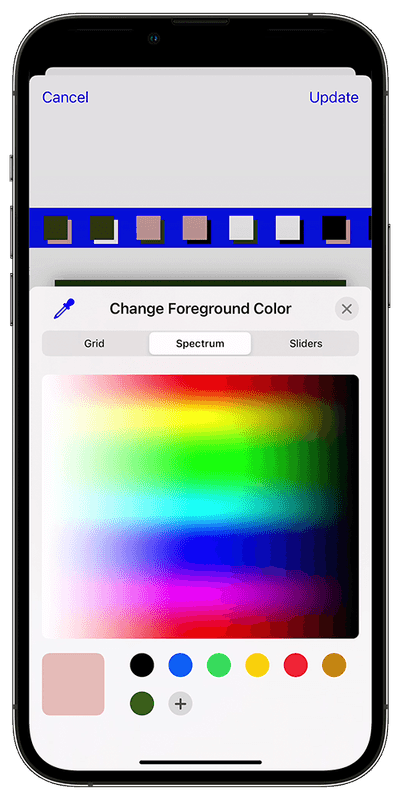
QR Codes are fully customizable — crop the image/GIF, change foreground or background colors.
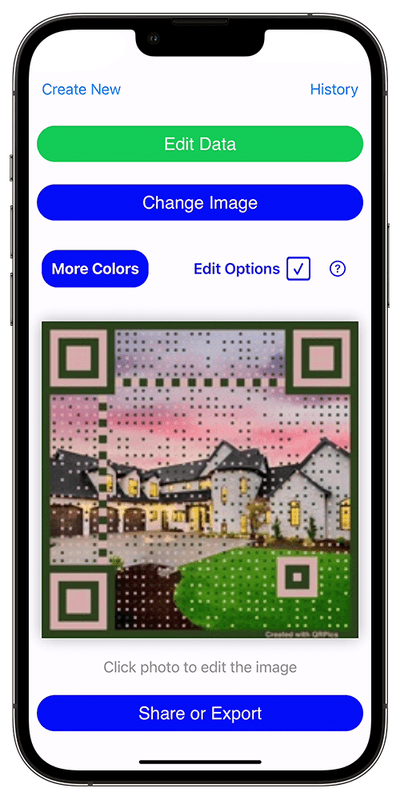
QRPics main QR code view screen
Main screen of a created QR Code — many options available from here.
QRPics image cropping interface
Selecting the image/GIF, you can crop or rotate the image.
QRPics color selection spectrum
Choose colors pulled from your image, pick your own, or use the built-in eye dropper.

Get QRPics

Available on the App Store.

Download on the App Store